情境
在無法 SSH 進入 Compute Engine 的情況下,如何進行磁碟擴增?
前篇文章有介紹一些當遇到無法 SSH 時的解決方式,其中有提到 VM 的磁碟滿載可能是導致此狀況的原因。當這樣的情況發生時,查看 Serial port 1 的 Logs 會發現 OSError: [Errno 28] No space left on device 的訊息。
因此,本篇文章要紀錄如何在無法 SSH 連線進入機器的情況下,進行磁碟擴增。


【GCP常見問題】調整永久磁碟的大小

Jan 08
在無法 SSH 進入 Compute Engine 的情況下,如何進行磁碟擴增?
前篇文章有介紹一些當遇到無法 SSH 時的解決方式,其中有提到 VM 的磁碟滿載可能是導致此狀況的原因。當這樣的情況發生時,查看 Serial port 1 的 Logs 會發現 OSError: [Errno 28] No space left on device 的訊息。
因此,本篇文章要紀錄如何在無法 SSH 連線進入機器的情況下,進行磁碟擴增。
1. 把 VM 關機,並將這台VM的開機磁碟卸載
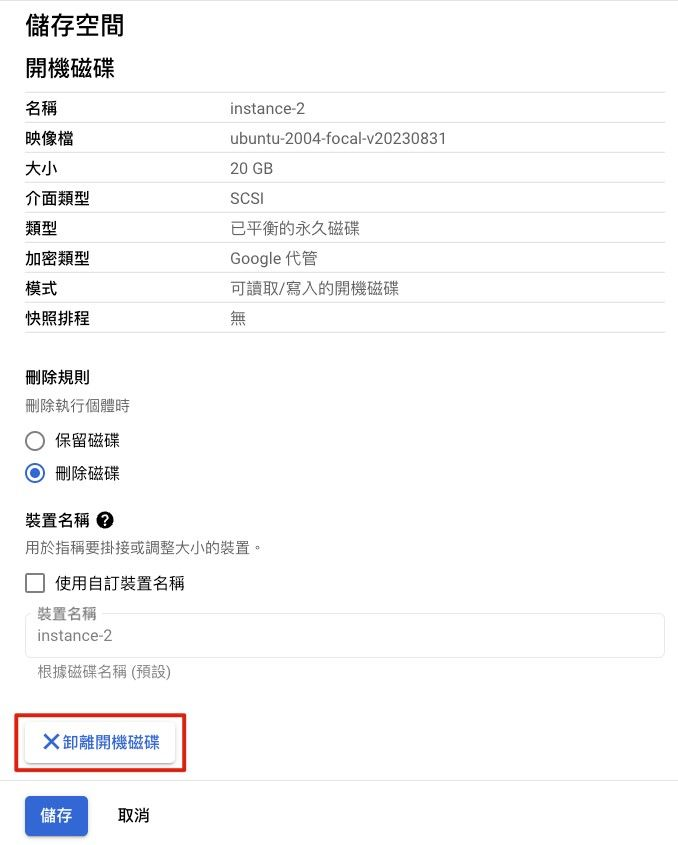
卸載磁碟
2. 開啟一台新的 VM,將剛剛卸載的開機磁碟掛上去
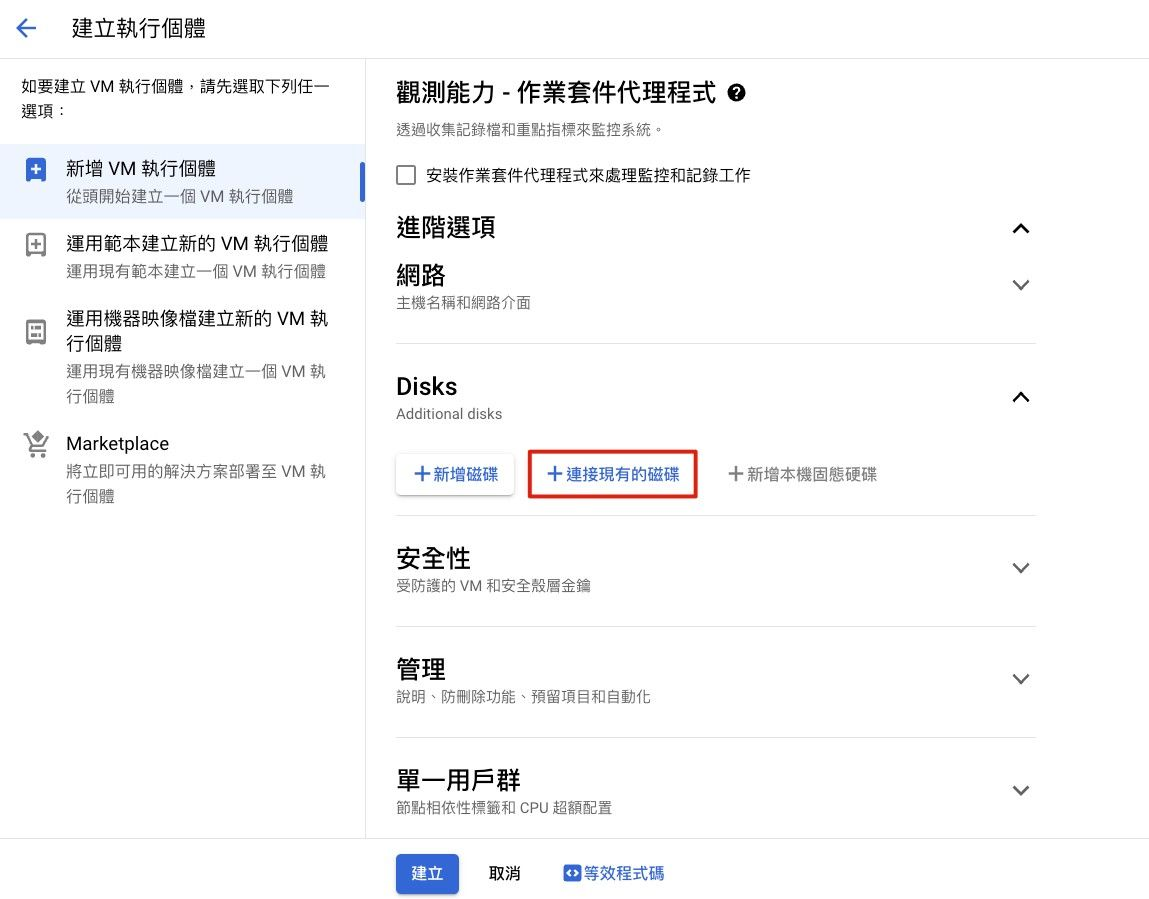
開啟一台新的 VM
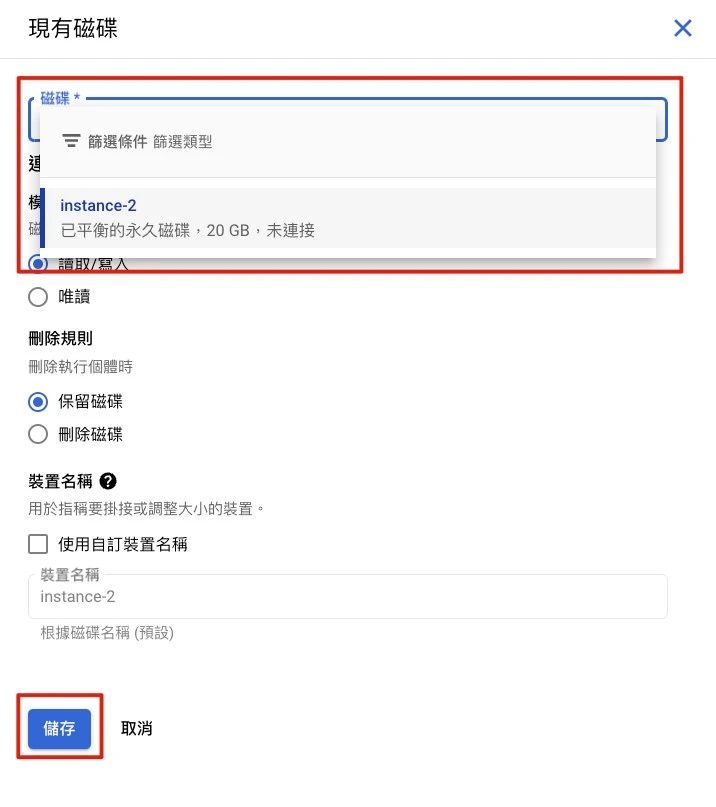
將剛剛卸載的開機磁碟掛上去
*開啟新的 VM 時,需要注意兩台 VM 要設置在相同的 Region 才能讀取到磁碟
3. 依照自己的需求,增加硬碟空間容量
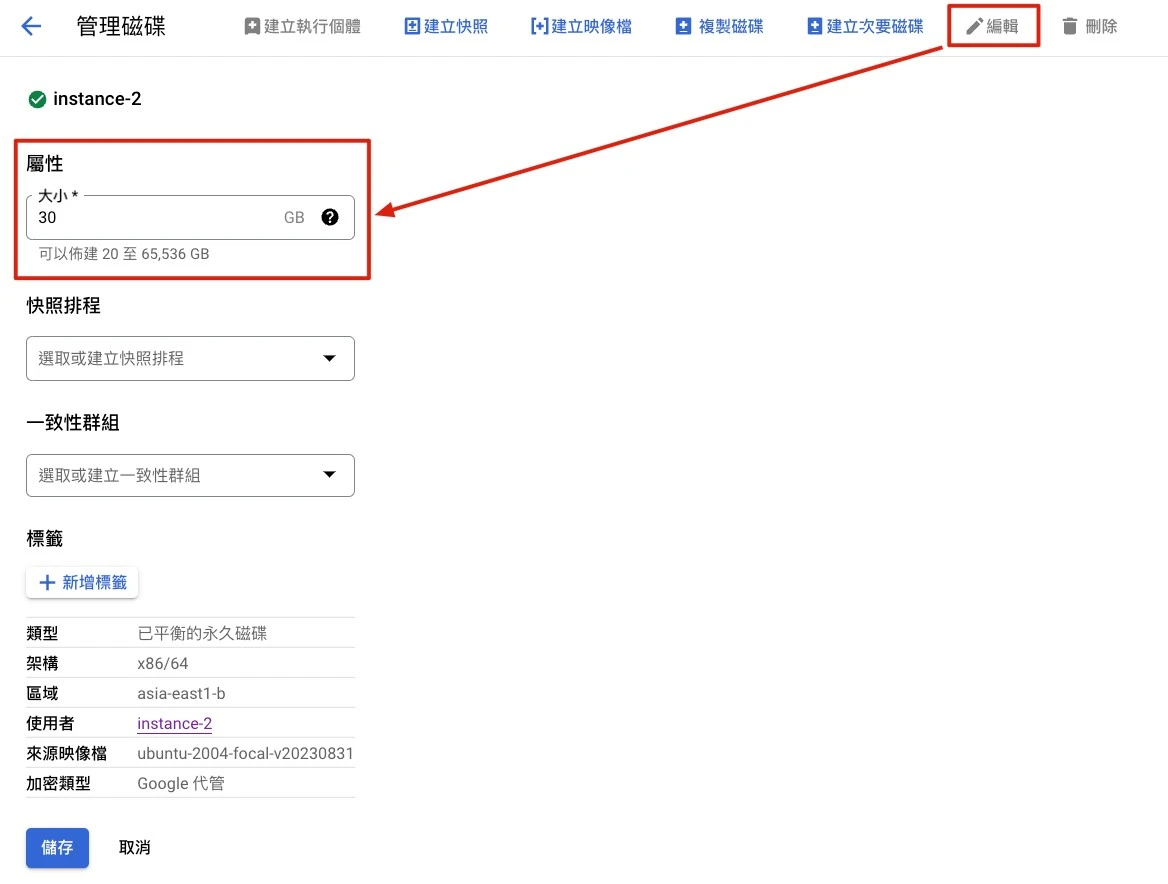
管理磁碟 → 編輯 → 調整容量大小 → 儲存
4. 調整後,進入這台新的 VM 將硬碟磁區掛入 Linux 目錄,調整磁碟分割區空間
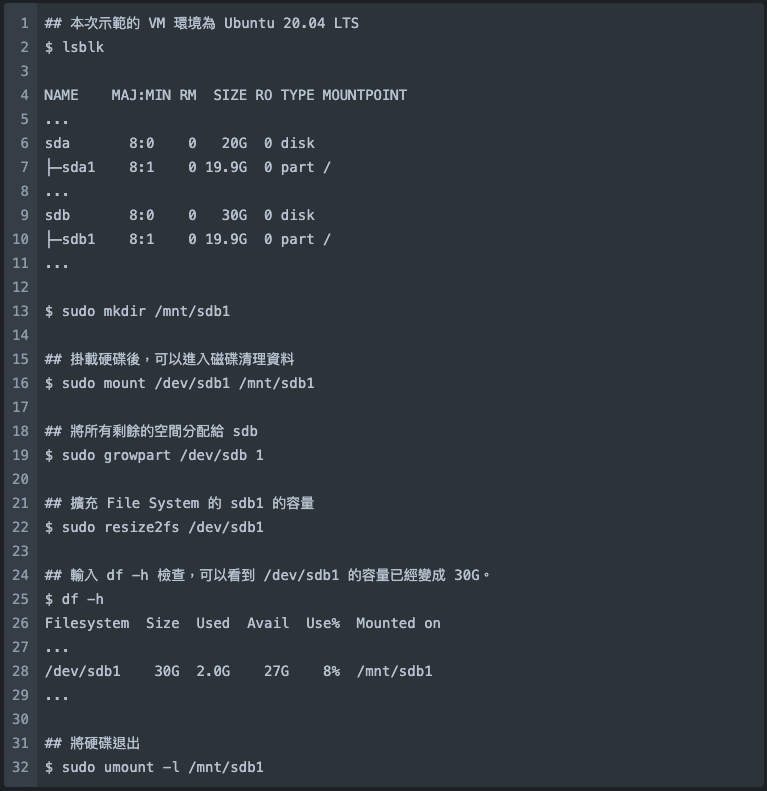
調整磁碟分割區空間
5. 將硬碟退出新的 VM,再掛回原 VM 的開機硬碟中。

新的 VM 退出磁碟
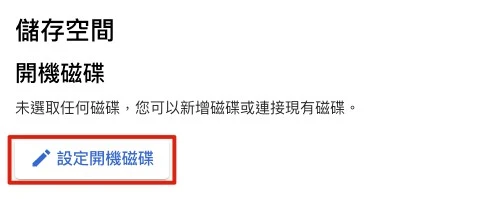
原本的 VM 設定開機磁碟
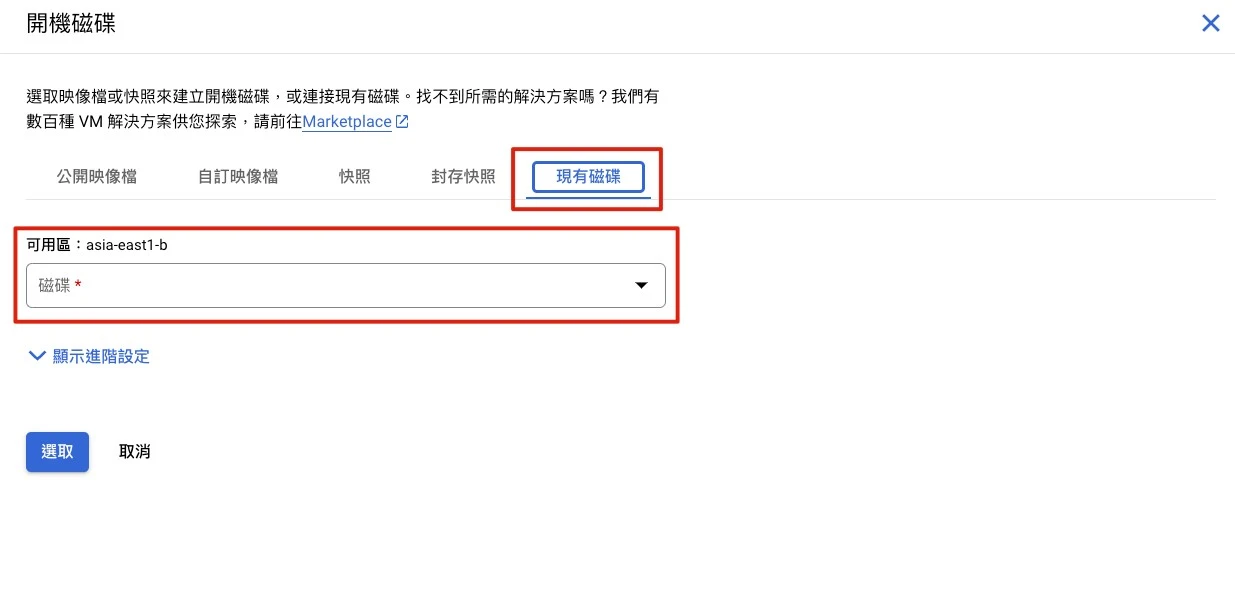
開機磁碟設定
6. 開機,完成磁碟空間擴增
Contact CloudMile
Contact Us
Proven Experience Across Diverse Industries
Phone Number
Reason for Inquiry
Electrum Advisory
MileInfra - Cloud Infrastructure Modernization
Enterprise Technical Training
MileSec - Multi-Cloud Security and Operations
MileData - Cloud Data Management and Automation
MileOps - Hybrid and Multi-Cloud Operations
MileAI - Generative AI Applications and Innovation
LumiTure.ai AI-Powered FinOps Platform
Other
Confirm and Return
2026
JAN
08
【AI 手把手教學】五分鐘帶你從零創建 Agentspace
2024
APR
23
【GCP常見問答】無法 SSH 的常見解決方式
2023
JUN
07
【手把手教學】如何選擇及更改 Cloud Storage 的 Bucket 位置?
2023
MAY
08
使用 Cloud Build 打造無伺服器服務的自動化部署流程
If you wish to unsubscribe, please click: Unsubscribe from Newsletter
Confirm and Return
Confirm and Return